
Your users don’t write prompts for a living. They type “cute dog on a beach” into your image generator and expect a stunning result. When the output looks generic, the blame lands on your product – not on the three-word prompt.
Before and After
Here’s what the booster does to a real prompt. A user types:
“sunset over Tokyo”
A properly structured prompt:
“A blazing sunset over Tokyo, molten gold and tangerine bleeding across the skyline, neon signs flickering to life below as skyscrapers catch the dying light in glass facades. Streetlights glow amber, reflecting off wet pavement. Shot on 35mm film (Kodak Portra 400) with shallow depth of field – foreground razor-sharp, background softly blurred. Style: cinematic urban twilight. Mood: serene yet electric.”
Three words became a full scene description with camera settings, color grading, and composition. The user didn’t need to know any of that.
The difference in output is immediate:

Raw prompt: “sunset over Tokyo” – a clean aerial panorama with warm tones, but generic composition.
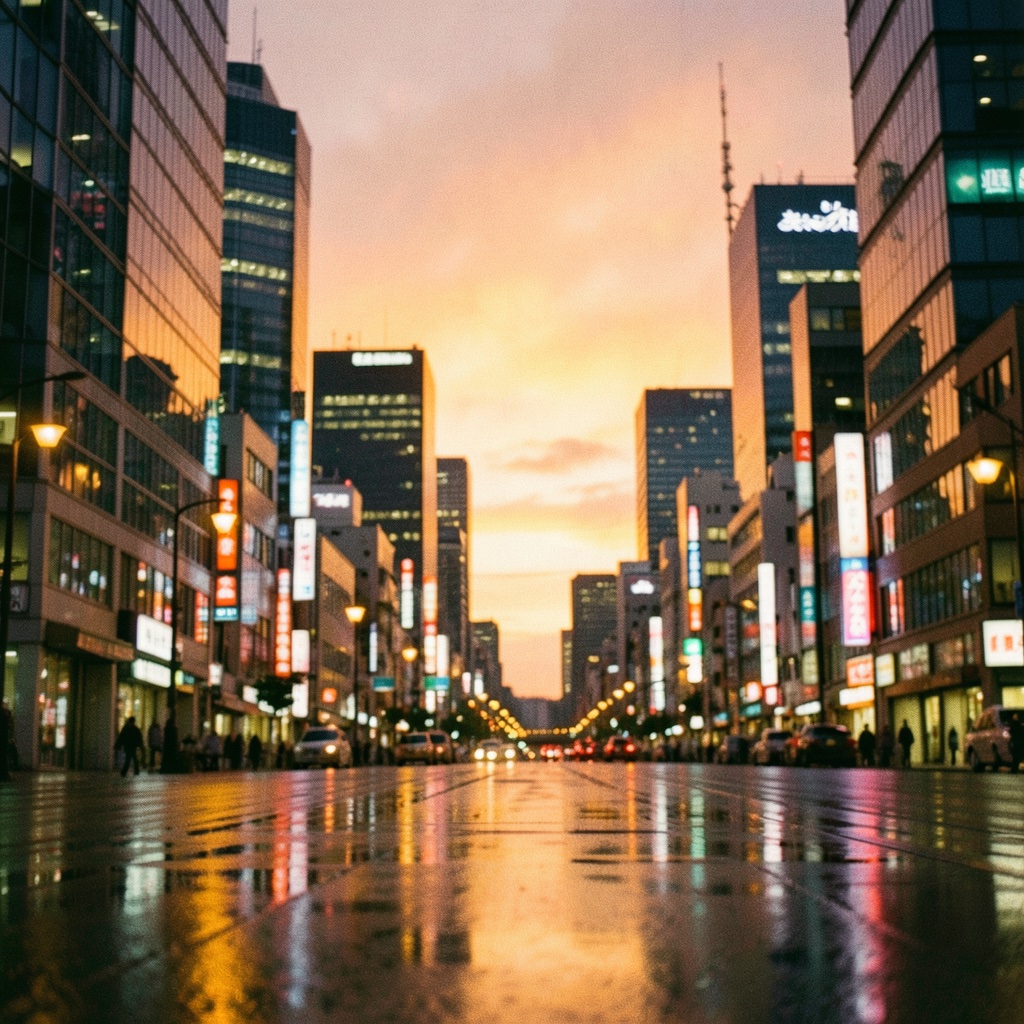
Boosted prompt – same three words as input, but the model received film stock references, depth of field instructions, and wet pavement reflections. The result: a street-level cinematic shot with visible Japanese signage, bokeh, and rain-slicked neon.
The raw prompt produced a postcard. The structured prompt produced a scene from a film. Same subject, different prompt craft.